Days with room to breathe
Schedule lessons, recurring classes and co-ops, field trips, sports, and activities. See what’s ahead and adjust unfinished lessons when plans change.

A thoughtful companion for your homeschool

More room for learning.
Less scattered paperwork.
Plan your days, celebrate each child’s progress, and keep the work that matters. A calm, flexible place for the lessons, projects, books, and little discoveries that make your homeschool yours.
$5.00 USD one-time purchase · No subscription
Available in the U.S. App Store for iPhone and iPad.
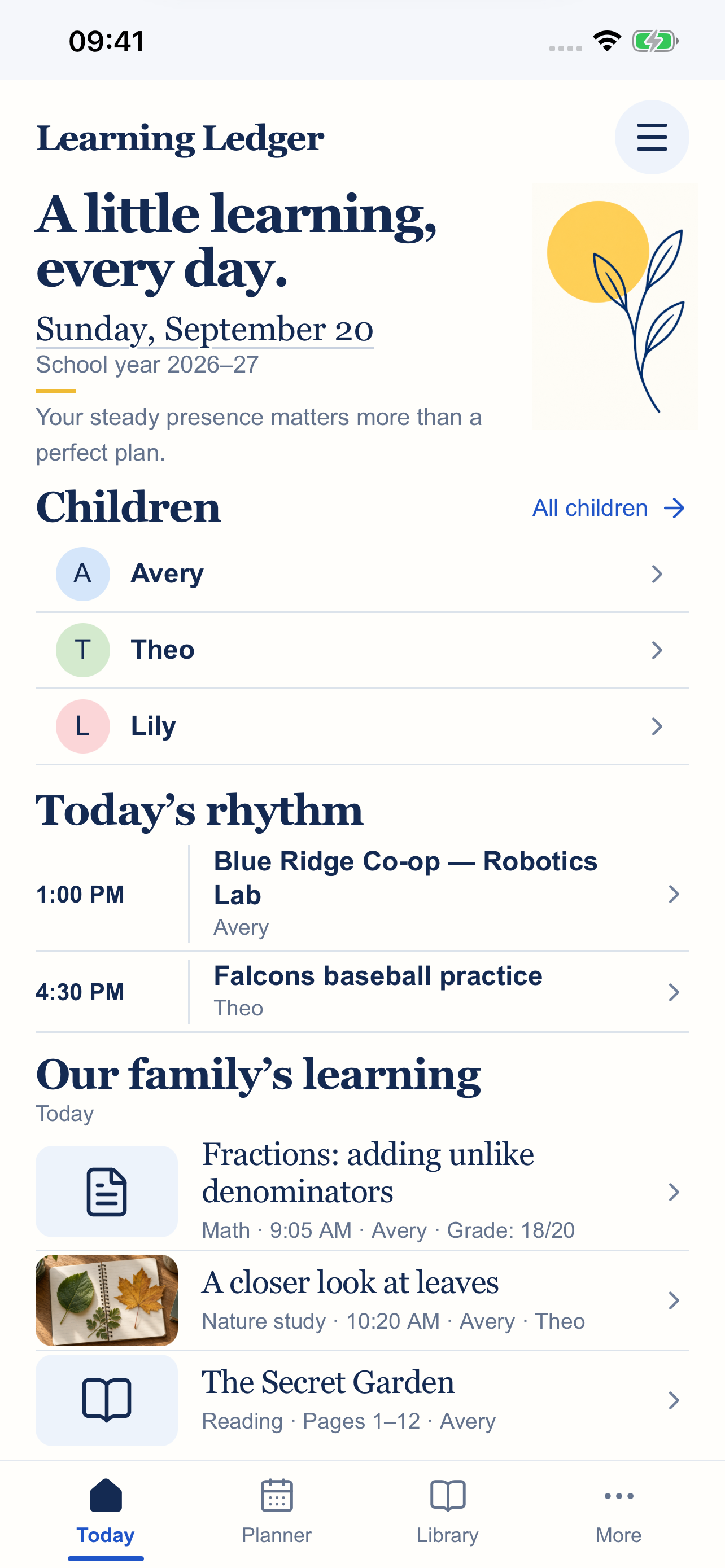
For the wonderfully full days
Build a record of your child’s year without making every day look the same. Use the tools that help your family, and leave the rest optional.
Schedule lessons, recurring classes and co-ops, field trips, sports, and activities. See what’s ahead and adjust unfinished lessons when plans change.
Keep notes, assignments, and projects for each child. Add photos or PDF work samples and optional grades, organized by school year.
Keep a simple yearly book list, record pages read each day, or do both. Each child has a reading ledger of their own.
Choose optional attendance, grades, courses, sports, and activities. Support different ages and learning paths without forcing one approach.
Prepare portfolios, reading records, report cards, and transcripts from the information you enter. Share or print using available device options.
Enjoy daily encouragement alongside your family’s plans. Thoughtful words and optional Scripture help make room for perspective, too.
A closer look
Your plans, memories, and reading progress—together in a quiet, welcoming space. Tap any screenshot to see it larger.
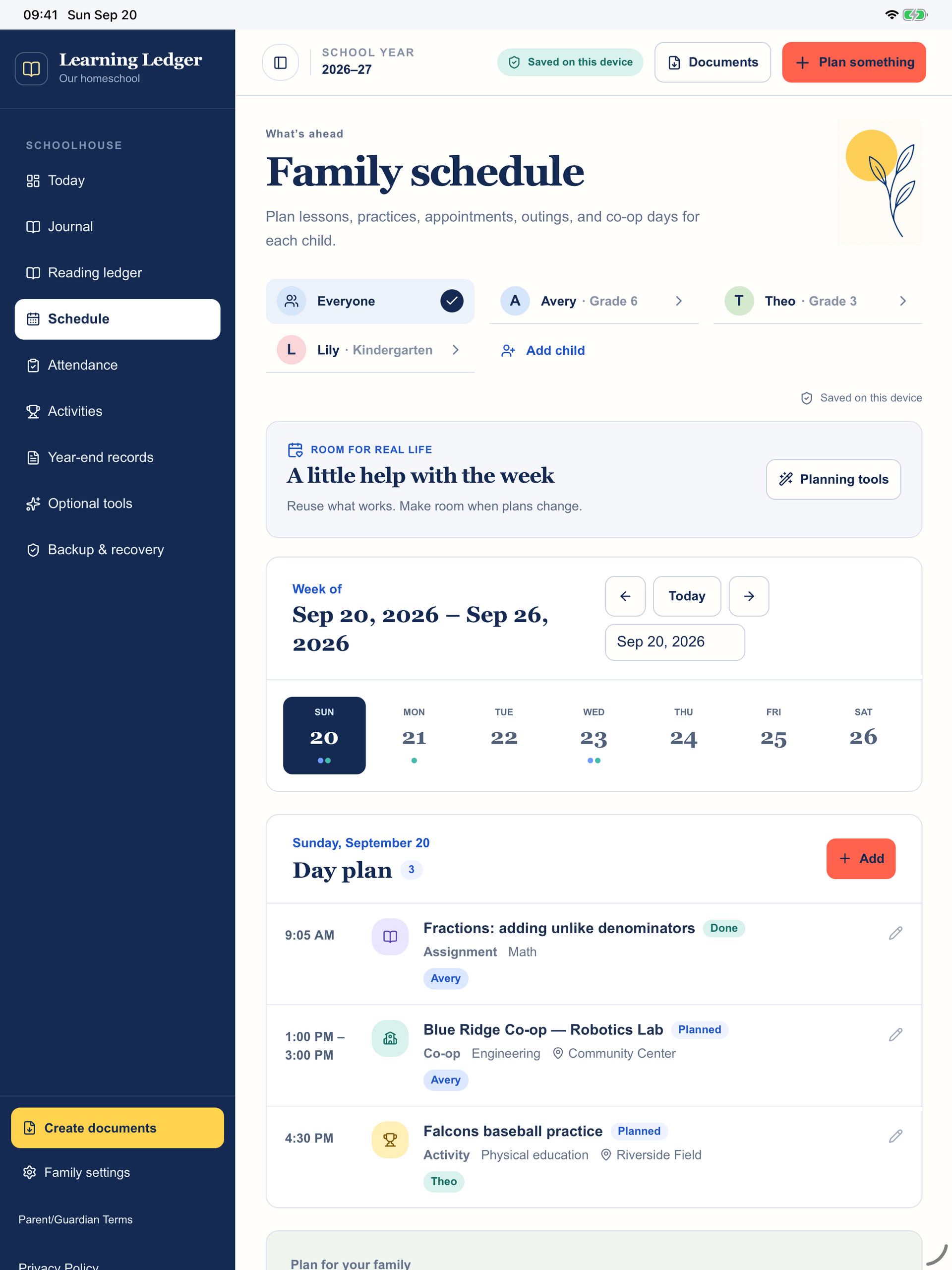
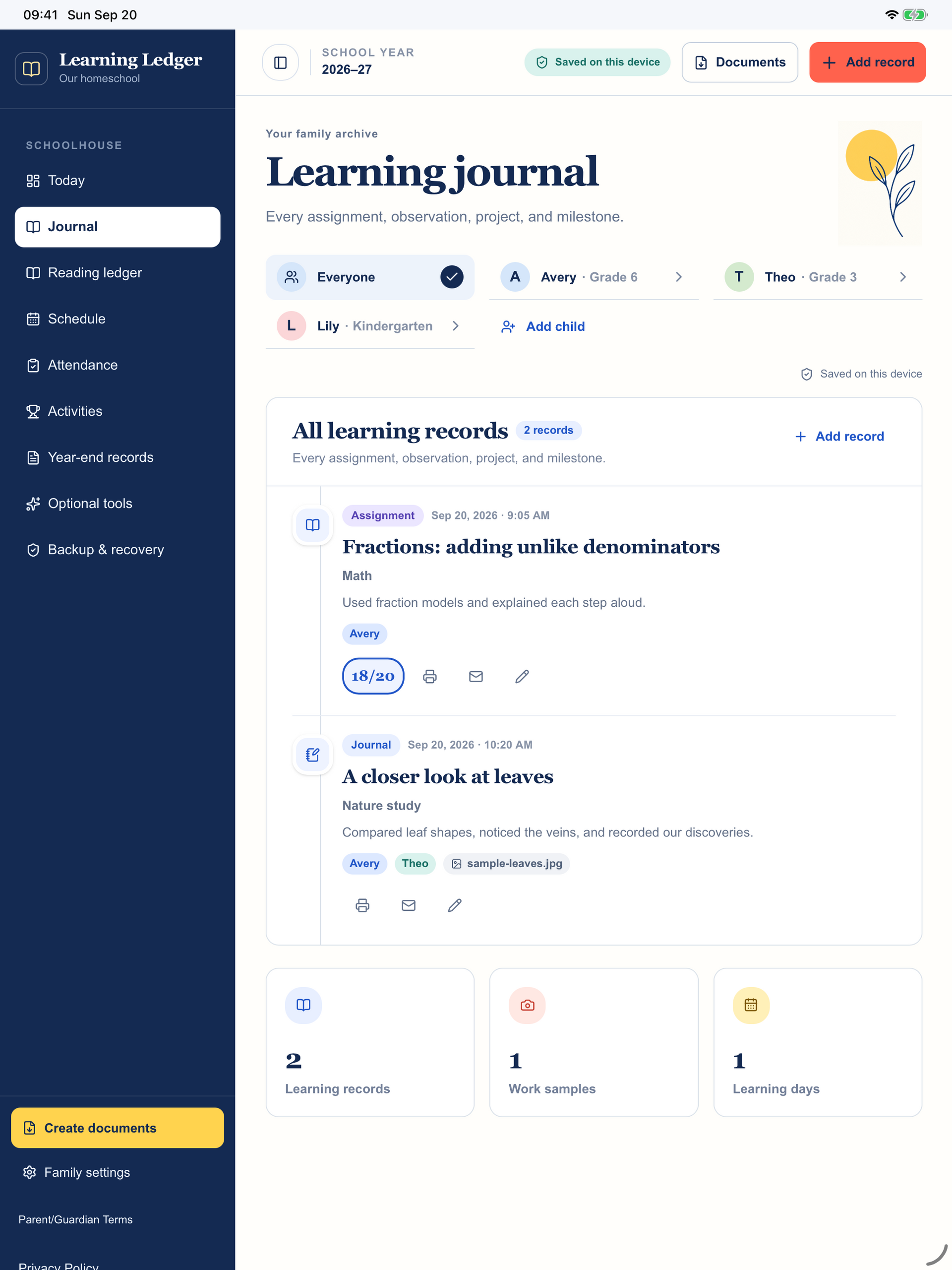
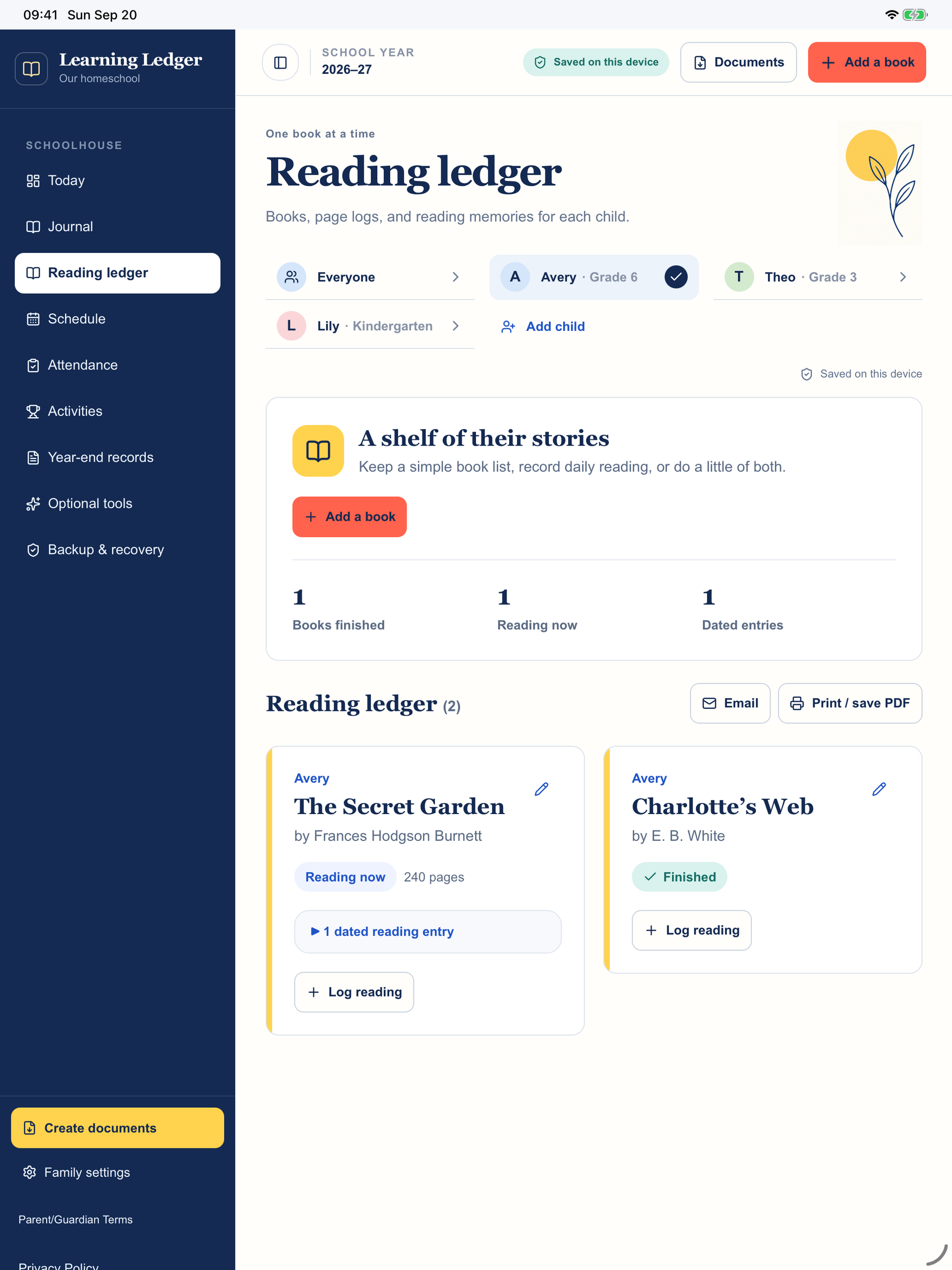
Actual app screenshots with fictional sample records. Layout adapts to your device.
A gentle start
You don’t have to organize the whole year on day one. Start small and shape the ledger around the way your family learns.
Protect the work you’re keeping
No Learning Ledger account is required. The app has no ads or advertising trackers, and family records are not automatically uploaded to a Learning Ledger server.
Optional calendar access lets you review and exchange selected events with your device calendars. It does not sync your entire learning ledger.
Read the app’s Privacy Policy ↗Export a full backup, including attached work samples, to a location you choose outside the app and separate from the device. Backup files can optionally be password-protected.
Local recovery points can help recover earlier information on the same device; they do not replace an independent backup.
Automatic cloud backup and cross-device record syncing are not included in the current version. Deleting the app or losing the device may remove local records. Keep current backups and check that they can be restored.
A full backup file is for restoring your ledger, not a printable report. Use the reporting and sharing tools for records you want to read or print.
Simple, one-time pricing
$5.00 USD · one-time purchase
No subscription. Available in the United States for compatible iPhone and iPad devices. Confirm the current price and compatibility shown by Apple before purchasing.
Learning Ledger is a parent-directed planning and record-keeping tool, not an accredited school, curriculum, or guarantee of legal compliance.
Parents and guardians are responsible for checking their state’s or country’s homeschool and school record-keeping requirements and reviewing the accuracy of reports they create.
The app requires acceptance of supplemental Parent/Guardian Terms. Apple’s Standard EULA remains the licensing agreement.
Good to know before downloading
Yes. Add multiple children and keep their plans, journals, reading, and school-year records organized individually, with a family view to help you see the day together.
No. Grades, attendance, and activity tracking are optional. Use a simple learning journal or add more structure where it helps your family.
Yes. Set up repeating lessons, classes, co-ops, and activities so you can plan ahead without entering every occurrence individually.
Not automatically. Each device keeps its own records. The current version has no automatic cloud backup or cross-device record syncing. Use a verified full backup when deliberately transferring records, and review the restore confirmation carefully.
Use the app’s report, share, and print options where supported by your device. A full JSON backup is a separate restoration file, not a printable portfolio. Keep both the reports you need and an independent backup.
The core planning and record-keeping tools work on your device without a Learning Ledger account. Emailing, downloading the app, or sending files to an online location requires the appropriate connection and device services.
Local records may be lost. Save full backups outside the app and separate from that device, and check that you can restore them. Local recovery points alone cannot protect against losing the entire device or app data.
Learning Ledger is available for iPhone and iPad and requires iOS or iPadOS 15 or later. Check the App Store listing for your device’s compatibility. It is not currently verified for macOS.
Visit Learning Ledger support or email jennalynnfeatherstonebooks@gmail.com. Please do not email children’s records or backup files unless specifically needed and agreed for support.
Make room for what matters
Start with one child, one plan, one small moment worth keeping.
$5.00 USD one-time purchase · Parent support